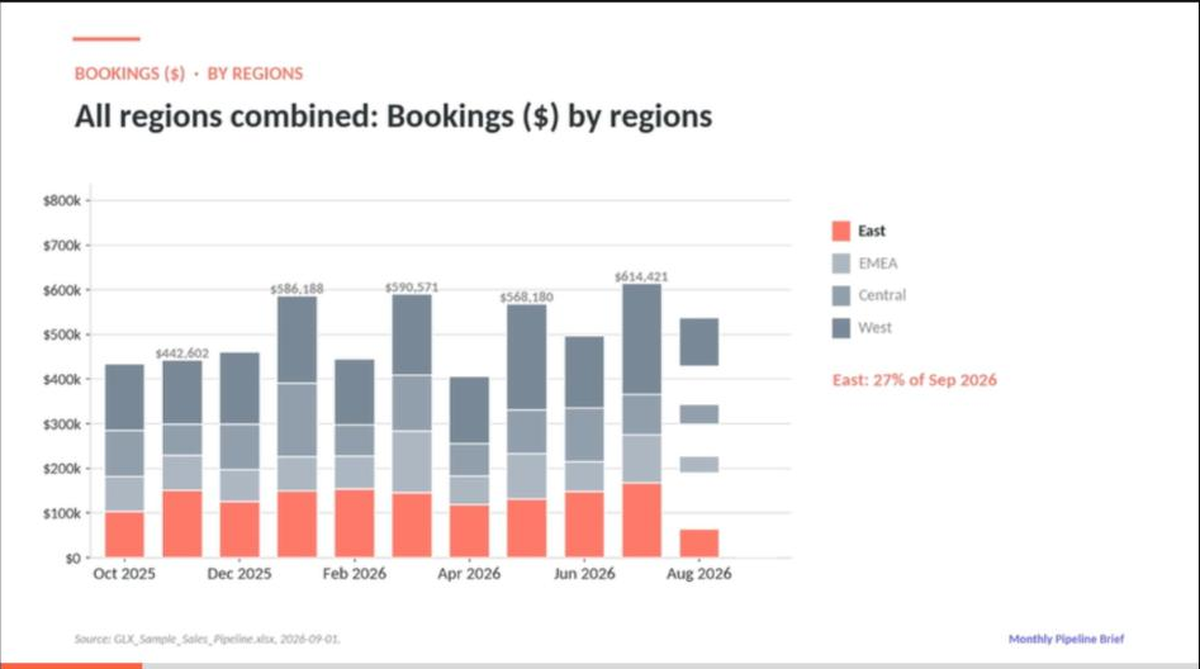
Upload the workbook you already report from. GLX reads every row, asks only what the data cannot settle, and produces one branded video per audience: the company view, plus one for each region, team or client. Charts, a story arc and a takeaway, in your brand.
Real product screens from a sample sales pipeline workbook. Click any step to watch it.
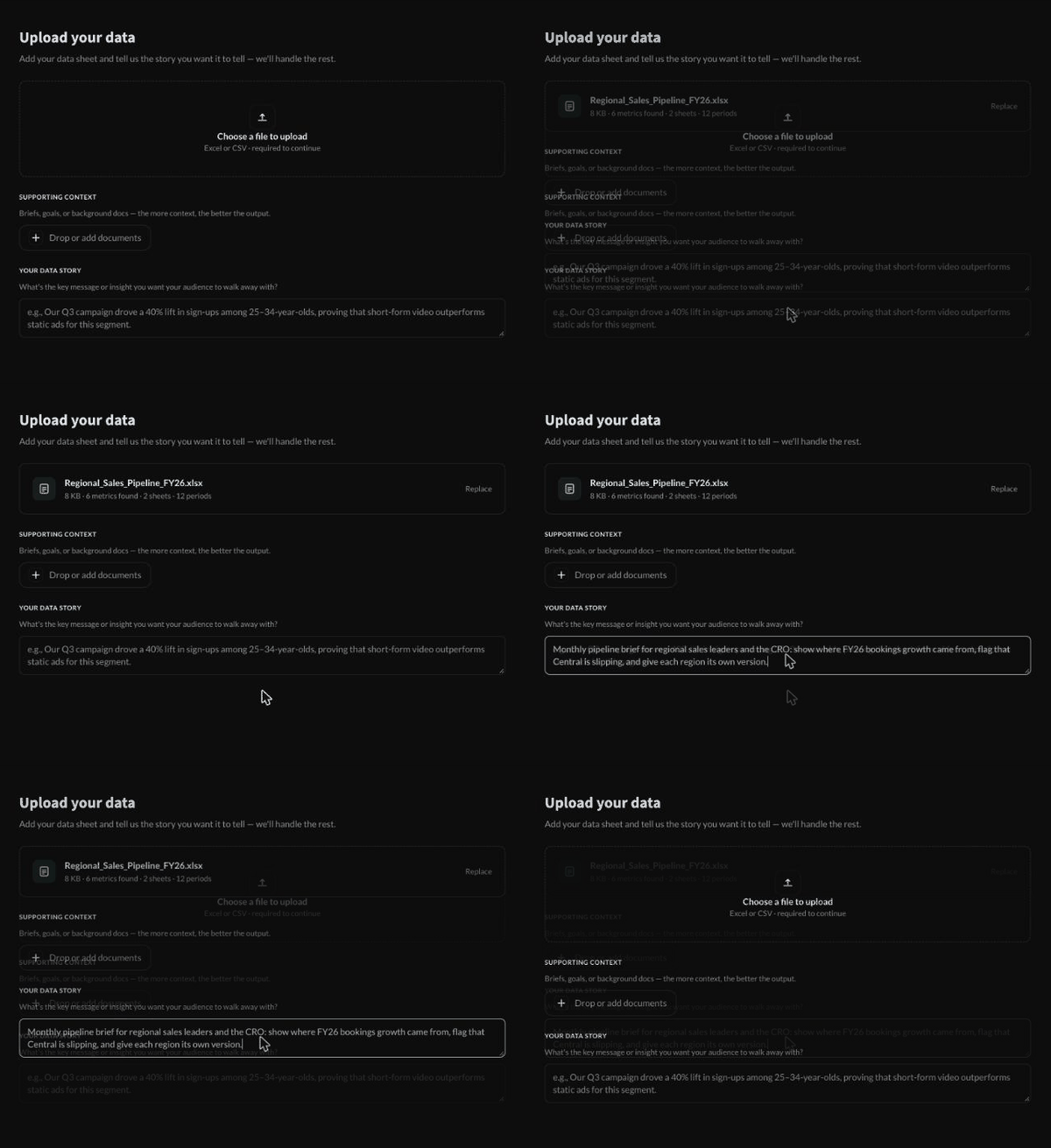
Drop in an Excel or CSV file. GLX reads the column structure on the spot and shows what it found: tabs, levels, measures, periods. Add a brief if you have one, then write one line about the audience and the point of the story.
Watch this step →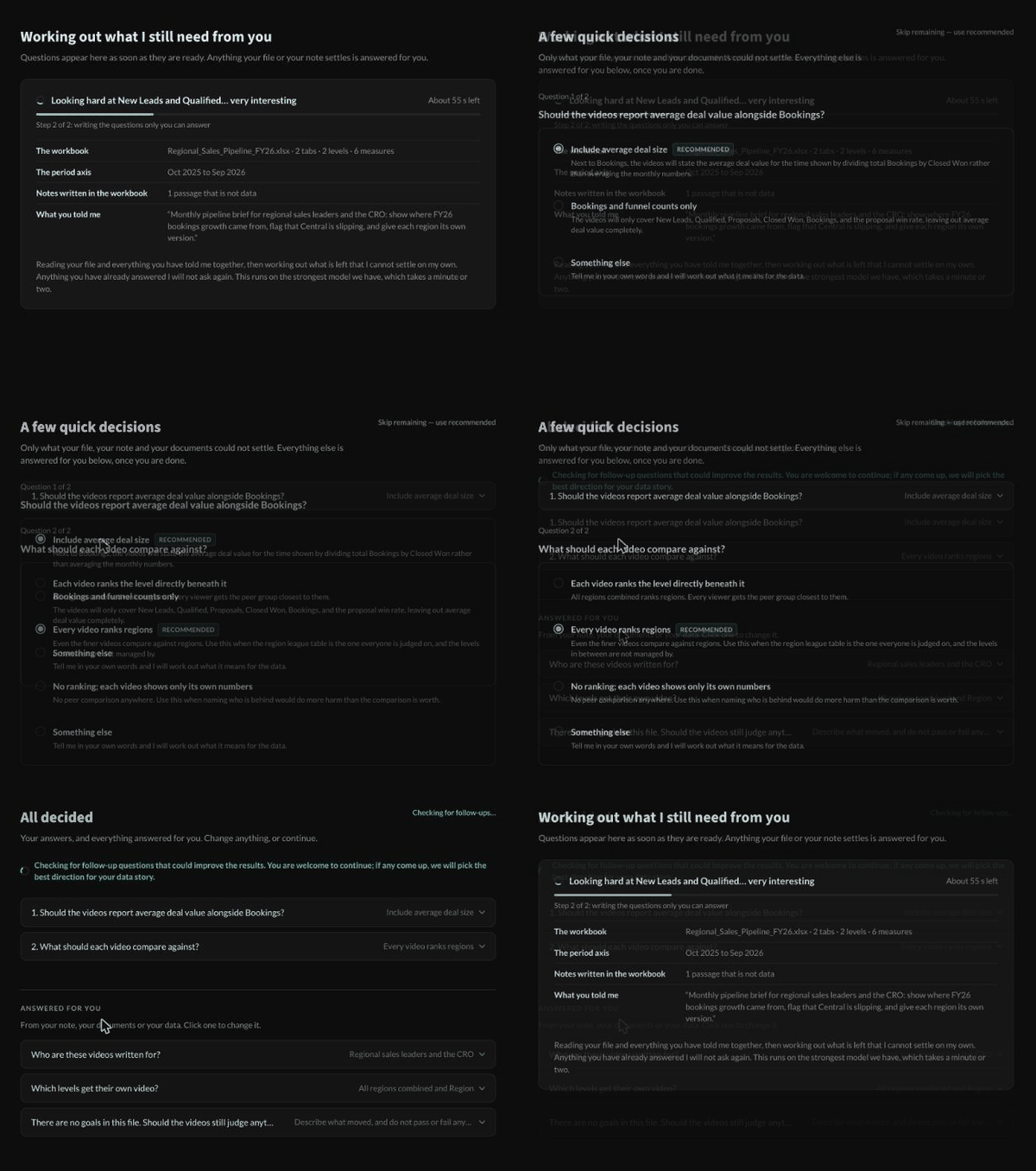
Every row is read. The questions it cannot answer from the file arrive one at a time, each with a recommended answer. Everything else is answered for you and listed so you can change it. Reading the workbook takes about a minute and a half.
Watch this step →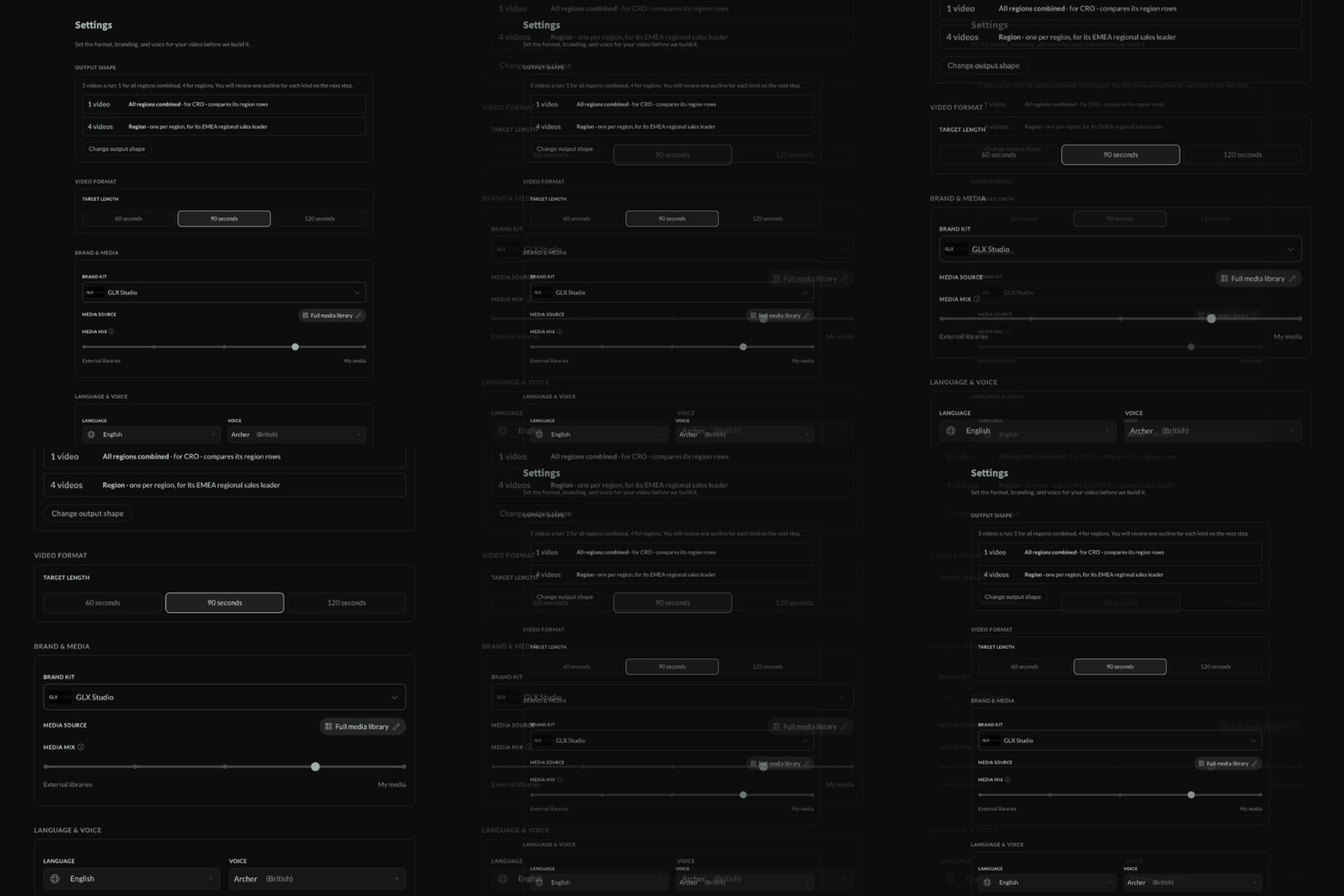
The output shape is shown before anything is built: one video for the whole company plus one per region, each narrated for its own viewer. Pick 60, 90 or 120 seconds, your Brand Kit, the mix of your own footage and stock, and the language and voice.
Watch this step →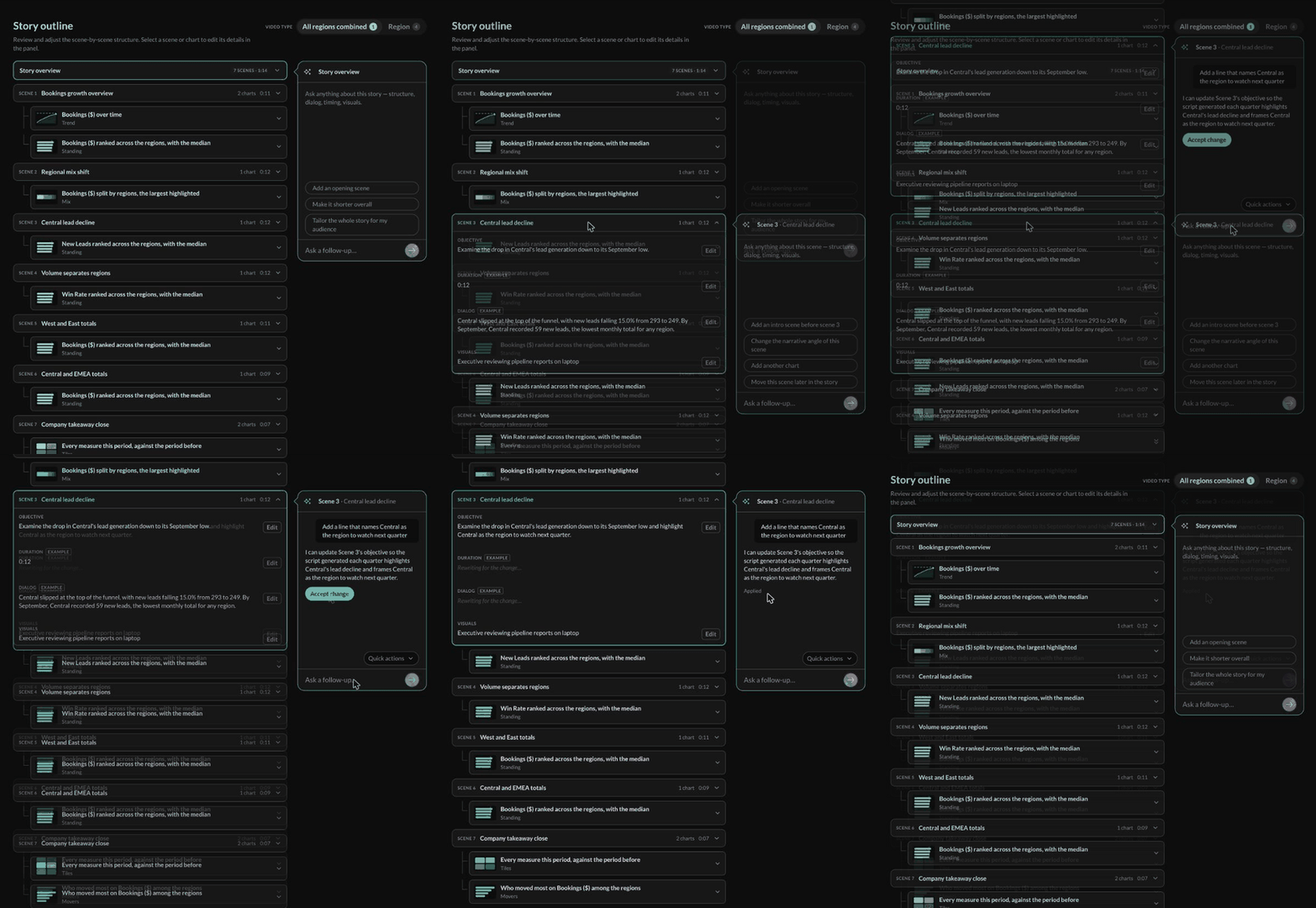
A storyboard, scene by scene, with the chart each scene carries, an objective, example dialog written from your real figures and the footage it will use. Ask the assistant for a change in plain language, accept it, and only the affected scenes refresh.
Watch this step →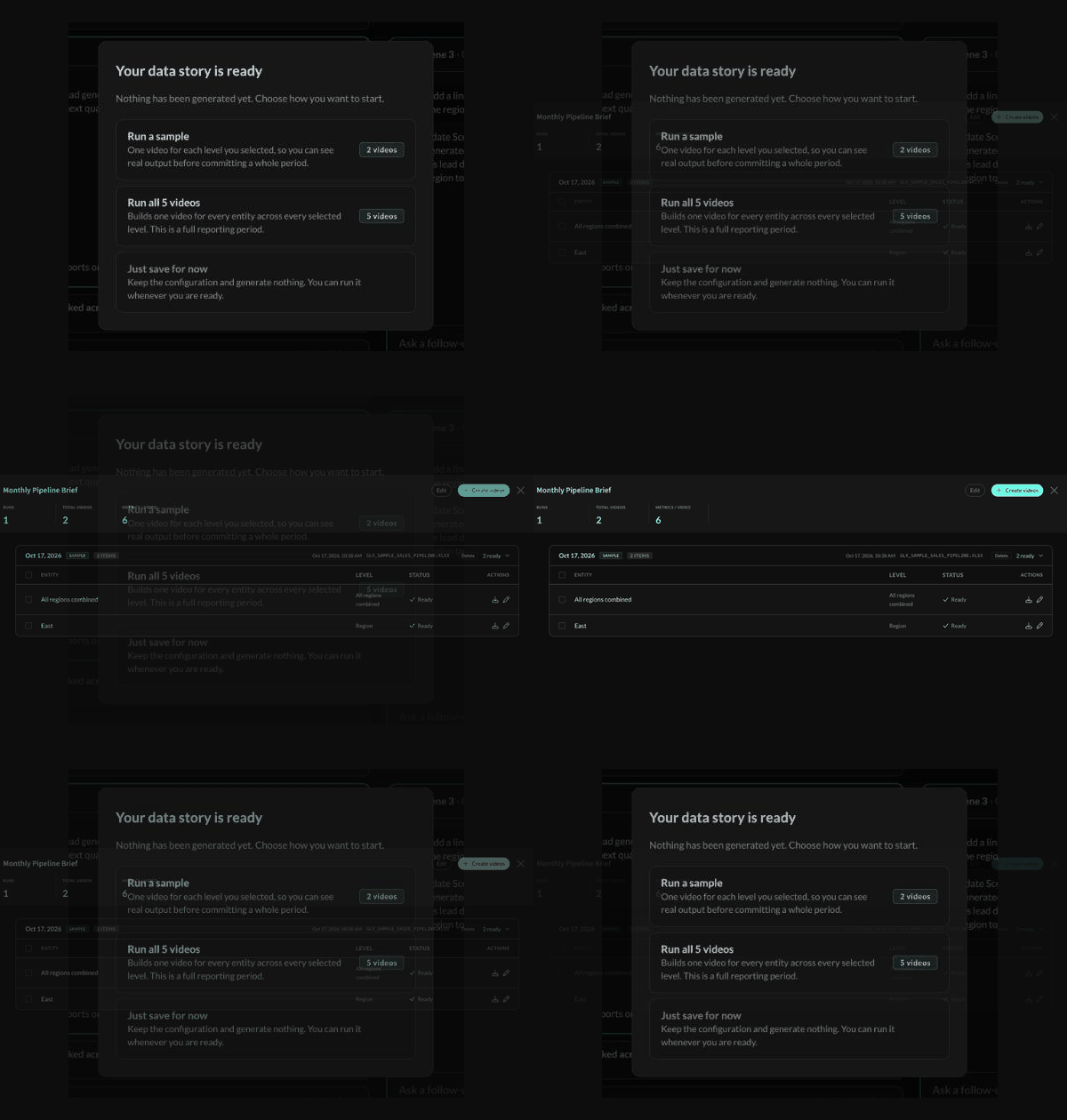
Choose a sample (one video per level), the full set (one per entity), or save for later. Credits are debited only at this step. Each video lists with its status and a download as it finishes.
Watch this step →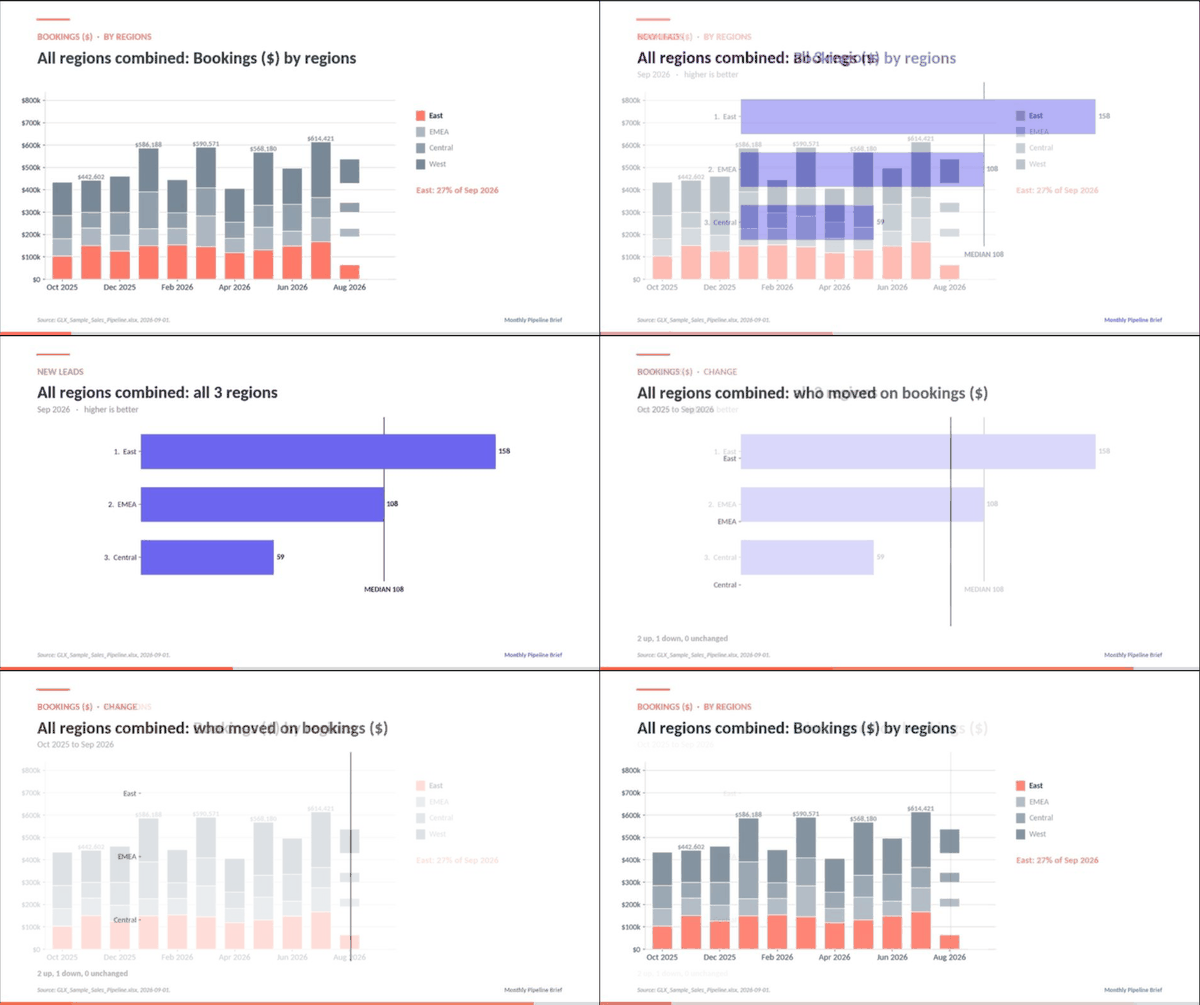
Every video opens in the editor you already use. Each chart stays on screen long enough to read, with your footage between them and the source file cited in the corner. Edit the dialog, swap a clip, download or share.
Watch this step →Each scene carries one or more charts. Click a chart in the outline to adjust label, unit, direction, target and granularity. Chart colors follow your Brand Kit.
A measure over the period axis.
Ranked entities with the median marked.
Stacked share across entities.
Every measure against the prior period.
Who moved most, up or down.
A data story is a saved setup, not a single video. It holds your workbook's structure, your decisions, your settings and the outline. Next month, open it, upload the new workbook and run. For recurring runs from your own systems, use the API.
Pipeline and bookings by region, one video for the CRO and one per regional leader, ranked against the others.
Completion, scores and time to proficiency by team or site, narrated for each team lead.
One data story per client with that client's Brand Kit. Monthly sets sit side by side in Media IQ.
GLX does not extrapolate. If an entity has no rows, it gets no video. If a tab is renamed, the mapping breaks on purpose rather than narrating the wrong column.
Charts need at least four seconds on screen. The outline handles this: shortening a scene below that moves the chart rather than cutting it.
Finished videos are filed in Media IQ as a collection named after the story and run, so every month's set is searchable next to the last one.
Start free, upload a workbook, run a sample. Or book 20 minutes and we will build the first story with you on a live call.